
For jewelry, watch, eyewear, leather goods and personalized gift brands and makers
Turn premium choices into a specific version customers want to buy.
Use the Configurator to compare materials, colors and components on one item, and the Product Manual for settings, clasps and closures. Help customers select an offered variant and advisors explain craftsmanship, adding separate accessories or bespoke workflows where needed.
- Compare the whole product, beyond option names
- Explain craftsmanship through visible detail
- Connect accessories with personal style and gifting
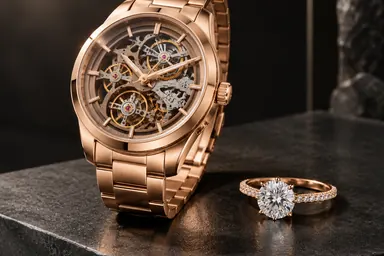
Make the choice specific and the craftsmanship visible
Use the Configurator for personal choices and the Product Manual for craftsmanship and price explanations. Establish a specific variant and inspectable details before consultation or purchase.
Core solution01
Turn material and color preferences into an offered variant
How it supports brands and boutique sales
Turn preferences into specific offered variants for Shopify purchasing or advisor follow-up on the chosen version.
How the solution works
Switch offered materials, colors and component versions on the same watch, eyewear or leather item and inspect it from multiple angles. Choices map to variants of that product.
Capabilities used
- Options on one product
- Valid combinations and variants
- Configuration handoff
Core solution02
Explain the craftsmanship behind the premium price
How it supports brands and boutique sales
Support premium presentations with visible settings, clasps and closure design so advisors and boutiques can explain actual craftsmanship.
How the solution works
Use close views, layered construction and prepared closure motion to explain design, with brand information on components, materials and dimensions.
Capabilities used
- Features and dimensions
- Structure and action explanations
Add the right products for further needs
Add material presentation, product selection, explanations or instruction to support further sales and handover needs.
Show extra straps, charms and gift accessories together
How it supports brands and boutique sales
Give straps, charms and gift accessories a clear pairing purpose, with Shopify purchasing retaining variants of the main item and separate accessories.
What buyers can compare and inspect
Add brand-confirmed, separately sold straps, charms or gift boxes to one scene and compare them with the main item. Shopify can add their respective variants to the cart together.
Capabilities used
- Cross-product selection
- Placement and connection rules
- Combined product list
Connect bespoke requests and advisor workflows through services
Use standard product capabilities for offered variants. Assess services for bespoke review, advisor routing or internal system handoff.
Bespoke requests: assess brand review and nonstandard rules
How it supports the business
Bring advisor-confirmed requirements into the actual brand workflow. Validate feasible options, review permissions and development scope through a prototype and written acceptance.
When and how to use the service
Use Enterprise Custom Solutions for requests beyond existing variants or accessory rules, prototyped against brand process constraints, advisor review and internal workflows.
Assessment inputs and delivery scope
Provide bespoke options, process constraints, review workflows and roles; assess a prototype before scoping development.
Capabilities used
- Non-standard rules and algorithms
- Cross-system workflows
Advisor follow-up: pass selected variants and accessories
How it supports the business
Let advisors start with a specific version the customer has compared, then confirm the physical item, size and bespoke requirements.
When and how to use the service
Assess Integrations & API to pass selected variants and separate accessories to an existing consultation or ordering flow, confirming fields, events and interface permissions.
Assessment inputs and delivery scope
Provide advisor pages, result fields and business interfaces; deliver the agreed embed or integration acceptance.
Capabilities used
- Business integration projects
A premium purchase needs visible detail
Buyers need to judge their personal preference and understand the design and craftsmanship.
Material names do not explain the complete look
Metal, dial, leather and hardware choices appear in separate images. Buyers cannot easily judge proportions and style or explain their hesitation.
Craftsmanship claims need something visible to support them
Settings, clasps, stitching and closure design live in the details. Broad descriptions do not replace inspection or help boutique staff explain value.
Accessory recommendations lack a personal context
Extra straps, charms or gift boxes remain in product lists. Buyers cannot picture them with the main item or understand the gift combination.
Choose the look, then understand the details
Develop preferences online, then confirm materials, size and wearing comfort with the physical product.
Compare dial and appearance variants
Compare offered versions of the same watch from different angles to establish a preference.
Inspect clasp and construction detail
Explore clasps, component locations and brand-prepared demonstrations to understand design differences.
Pair a strap or gift accessory
Explore confirmed companion products, then check size, the physical item and wearing comfort with the brand.
Build a preference online, discuss details with an advisor
Standard variants can connect to purchasing; bespoke details continue with the brand advisor.
Shopify premium and personalized product stores
Compare offered variants and accessories in the main media area, connect them to the cart, and explain craftsmanship and functions below. The brand separately confirms bespoke requests.
Premium brands, custom makers and boutiques
Use standalone links to discuss materials, design detail and gift combinations or introduce new products to boutiques. Purchasing is not included; the brand confirms bespoke feasibility, physical details and orders.
Explore preferences through offered variants and suitable accessories. Confirm precious metals, gemstones, leather detail and fit with the physical product, and discuss bespoke requirements with the brand advisor.
Confirm offered variants and scope products and brand services
Bring materials, colors, construction details and separate accessories. Scope configuration, manuals and modular selection first, then assess advisor workflows or bespoke requirements for content, publishing and service pricing.